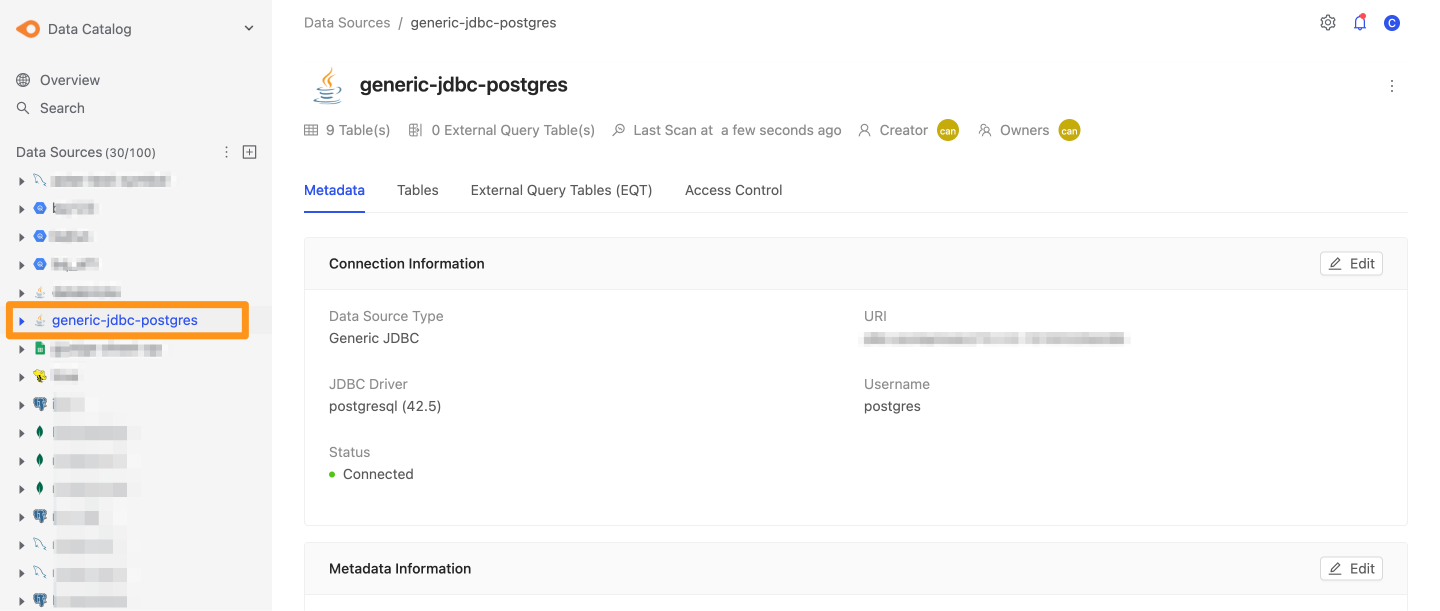
Generic JDBC Connector
The Generic JDBC Connector is a general-purpose Java database connector for connecting to and accessing many kinds of relational databases, such as MySQL, PostgreSQL, and Oracle. It connects to databases through the Java Database Connectivity (JDBC) API and runs SQL queries and commands.
Requirements
Before using the Generic JDBC Connector, prepare:
- The JDBC driver for the database you want to connect to.
This article uses PostgreSQL as an example. You can download the driver from the PostgreSQL website.
Step 1: Create a JDBC Driver
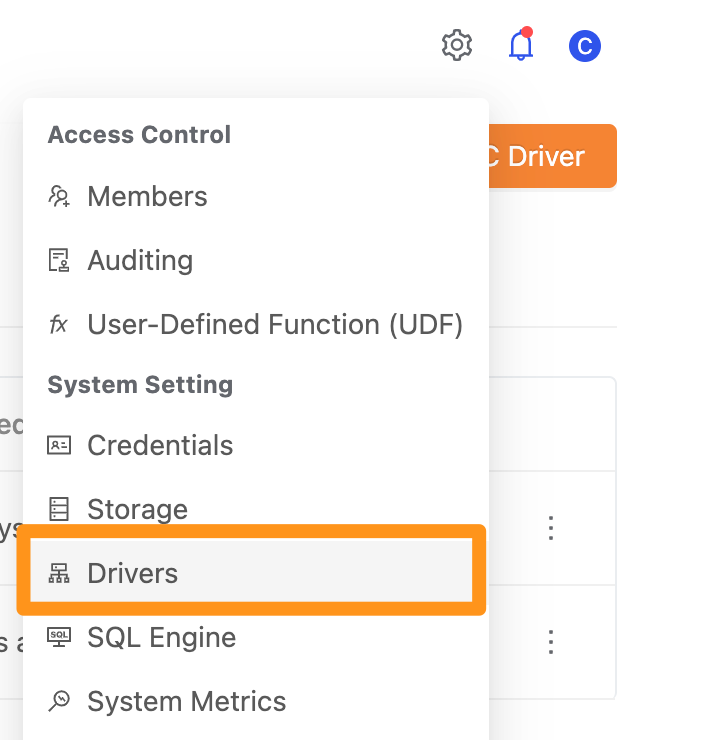
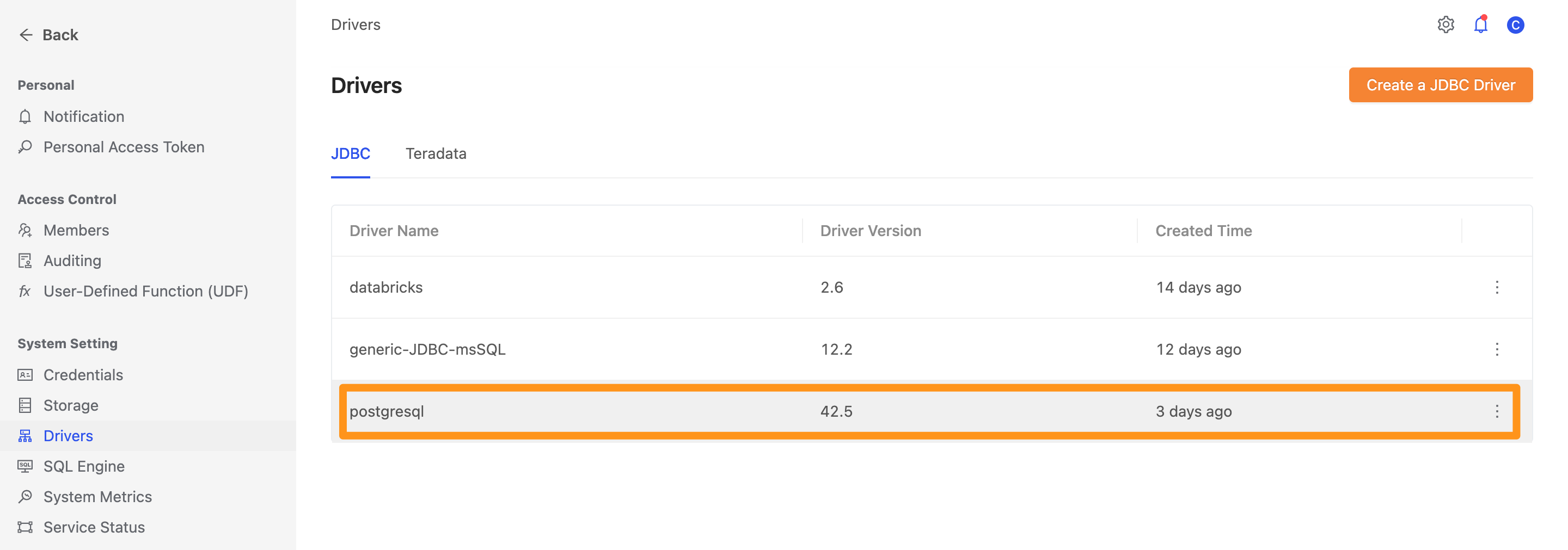
Click the settings icon and select Drivers.
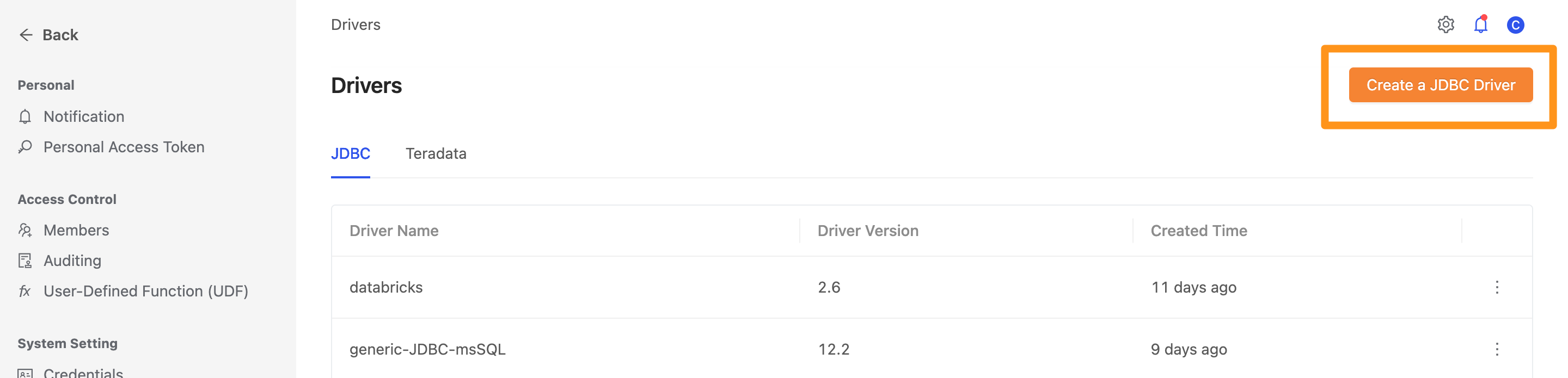
On the Drivers page, click the Create a JDBC Driver button.
Fill in the following configuration.
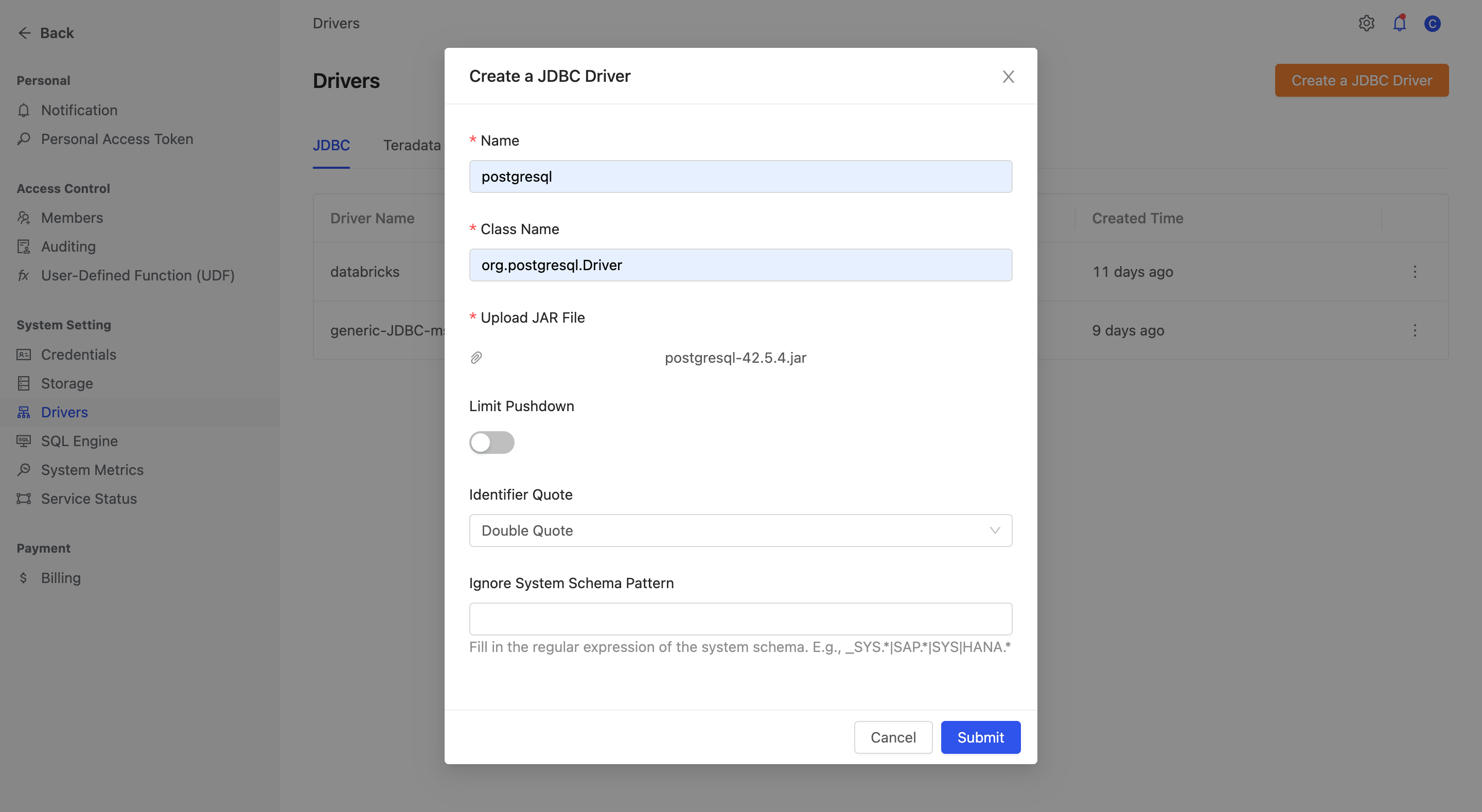
Name: The driver's display nameClass Name: The driver's class name. For example,Postgresusesorg.postgresql.DriverUpload JAR File: Upload the driver's jar fileLimit Pushdown: Whether to enable limit pushdown, which pushes query processing down to the data sourceLimit Pushdown Clause: (If Limit Pushdown is enabled) the limit pushdown syntax to use, depending on the database typeIgnore System Schema Pattern: A regular expression for ignoring system tables, to avoid connection timeouts caused by too many system tables
Once created, the driver appears in the list on the page.
Step 2: Create a Generic JDBC data source
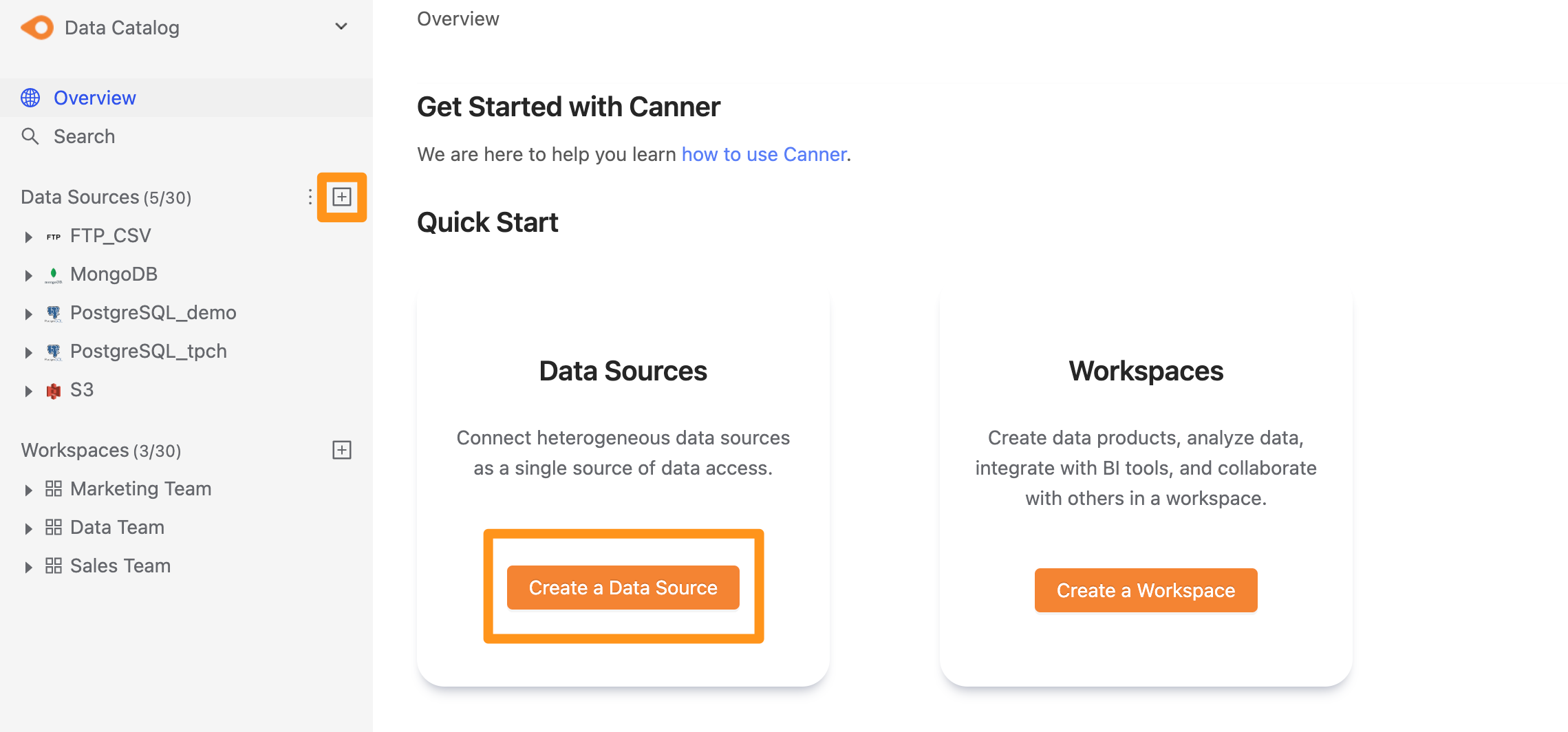
There are two ways to create a data source: click the "+" button next to Data Source in the sidebar, or click the Create a Data Source button on the Overview page.
Step 3: Configure the connection
Basic
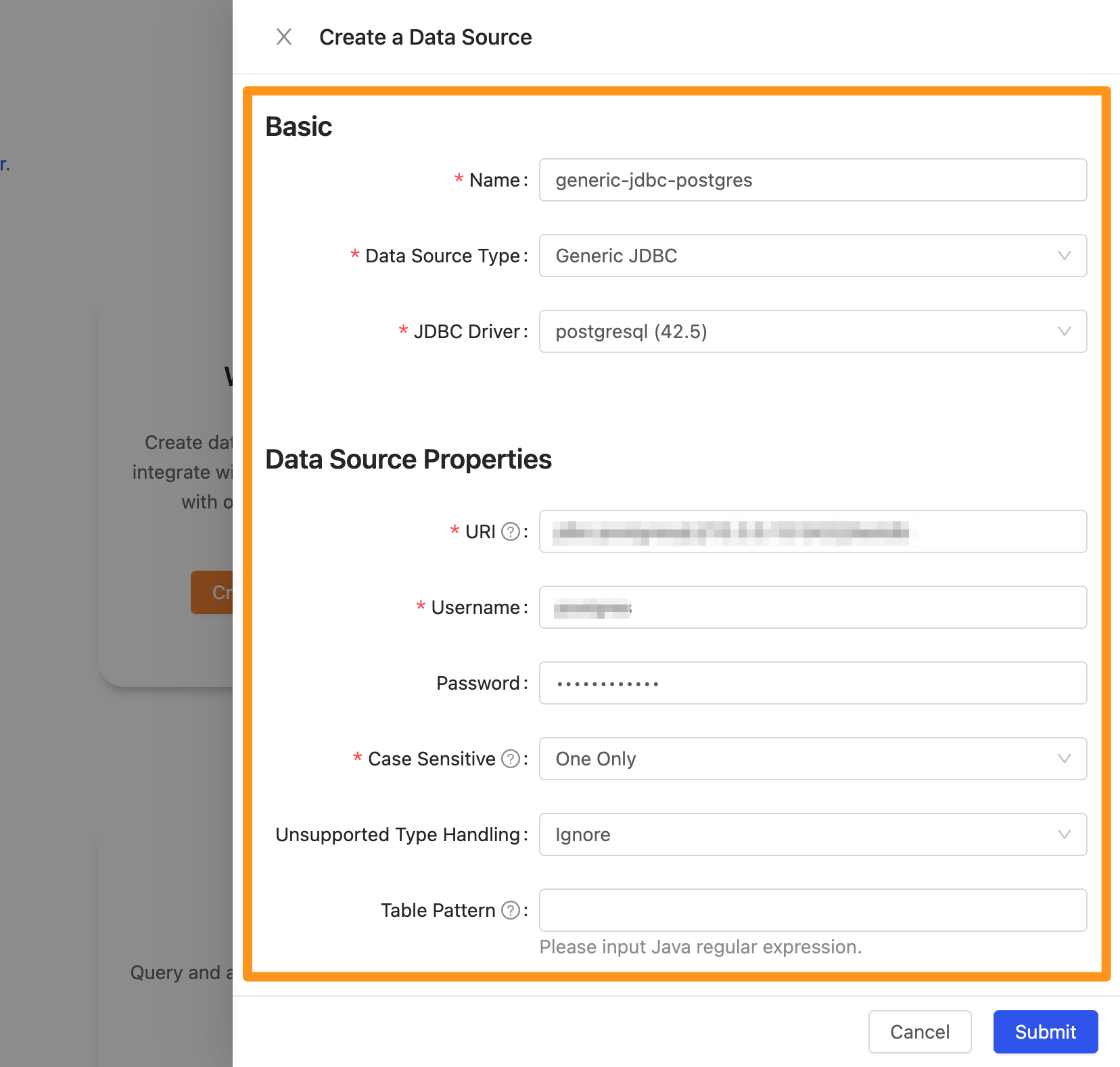
- Name: The display name of the database in Canner Enterprise. You can change it later.
- Data Source Type: The database type. Select
Generic JDBC.
Data Source Properties
-
URI: The database address, in the format
jdbc:<protocal>://<host>:<port>/databaseName. -
Username: The username used to connect to this database.
-
Password: The password used to connect to this database.
-
Case Sensitive: Table names in Canner Enterprise data sources are displayed in lowercase, and case is not distinguished. Choose how to handle multiple tables whose names differ only in case.
One Only (default): Multiple tables whose names differ only in case are not supported, so the system shows a connection error after you submit.First Result: The first table scanned is kept; other tables with the same name are not connected.Lowercase First: The first table scanned with an all-lowercase name is kept; other tables with the same name are not connected (if none is all lowercase, the first table scanned is kept).Uppercase First: The first table scanned with an all-uppercase name is kept; other tables with the same name are not connected (if none is all uppercase, the first table scanned is kept).
Example: the database you connect to has three tables named Table, table, and TABLE1. One Only - after submitting, the connection fails.2. First Result - the Table table is kept.3. Lowercase First - the table table is kept.4. Uppercase First - the TABLE table is kept. -
Unsupported Type Handling: How to handle unsupported column types.
Ignore (default): Ignore them; the system shows that the column's data type is not supported.Convert To Varchar: Convert unsupported column types to string (Varchar).
-
Table Pattern: A Java regular expression to connect only the tables that match. We recommend setting this in the following three situations:
- You only want to connect tables matching a specific pattern to Canner Enterprise.
- You want to manage one source database as multiple data sources in Canner Enterprise.
- The number of tables in the database exceeds the system limit, so you need to split it into multiple data sources.
Three Table Pattern examples:Example 1: ^p.*\..* connects only the tables in schemas starting with p.Example 2: public\..* connects only the tables in schemas starting with public.Example 3: (public\..*)|(testing\..*) connects the tables in schemas starting with public or testing.
Table names in Canner Enterprise data sources are displayed in lowercase and case is not distinguished, so Table Pattern only supports lowercase conditions. If your Java regular expression contains uppercase characters, they are automatically converted to lowercase.
-
Number rounding mode: When a SQL query uses a table from this data source and a numeric column has more decimal places than the
Default Scale, choose how the system handles it (this database hasDefault Scale = 0, so this setting decides how decimals in numeric columns are rounded to integers).Unnecessary (default): The query fails with an error message.Up: Round away from zero.Down: Round towards zero.Ceiling: Round towards positive infinity.Floor: Round towards negative infinity.Half Up: Round towards the nearest neighbor, unless both neighbors are equidistant, in which case round up.Half Down: Round towards the nearest neighbor, unless both neighbors are equidistant, in which case round down.Half Even: Round towards the nearest neighbor, unless both neighbors are equidistant, in which case round towards the even neighbor.
Rounding examples:
| Input Number | UP | DOWN | CEILING | FLOOR | HALF_UP | HALF_DOWN | HALF_EVEN | UNNECESSARY |
|---|---|---|---|---|---|---|---|---|
| 5.5 | 6 | 5 | 6 | 5 | 6 | 5 | 6 | throw ArithmeticException |
| 2.5 | 3 | 2 | 3 | 2 | 3 | 2 | 2 | throw ArithmeticException |
| 1.6 | 2 | 1 | 2 | 1 | 2 | 2 | 2 | throw ArithmeticException |
| 1.1 | 2 | 1 | 2 | 1 | 1 | 1 | 1 | throw ArithmeticException |
| 1.0 | 1 | 1 | 1 | 1 | 1 | 1 | 1 | 1 |
| -1.0 | -1 | -1 | -1 | -1 | -1 | -1 | -1 | -1 |
| -1.1 | -2 | -1 | -1 | -2 | -1 | -1 | -1 | throw ArithmeticException |
| -1.6 | -2 | -1 | -1 | -2 | -2 | -2 | -2 | throw ArithmeticException |
| -2.5 | -3 | -2 | -2 | -3 | -3 | -2 | -2 | throw ArithmeticException |
| -5.5 | -6 | -5 | -5 | -6 | -6 | -5 | -6 | throw ArithmeticException |
- Default Scale: The number of decimal places kept in numeric columns. For this database the default is 0, i.e. rounded to integers.
- Explore Timeout: The timeout for connecting to the data source. If connecting takes longer than this, the system stops and shows a connection error. The default timeout is
60000 ms. If the database you are connecting to has many tables, consider increasing this timeout.
Step 4: Finish
After you submit, the data source appears in the sidebar shortly. Click it to open the data source details page.