Upload JDBC Drivers
The Generic JDBC Connector is a general-purpose Java database connector for connecting to and accessing many kinds of relational databases, such as MySQL, PostgreSQL, and Oracle. It connects to databases through the Java Database Connectivity (JDBC) API and runs SQL queries and commands.
Requirements
Before using the Generic JDBC Connector, prepare:
- The JDBC driver
jarfile for the database you want to connect to.
This article uses PostgreSQL as an example. You can download the driver from the PostgreSQL website.
Step 1: Create a JDBC Driver
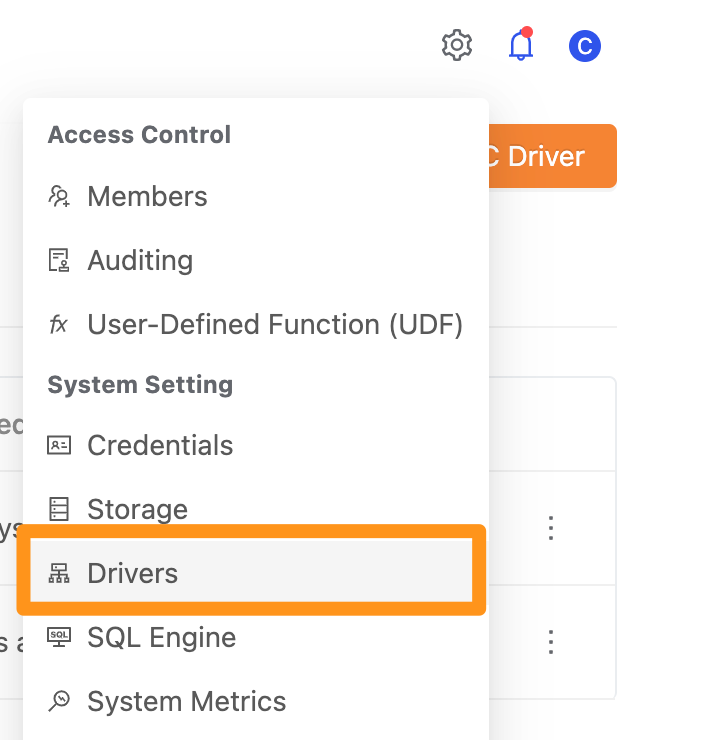
Click the settings icon and select Drivers.
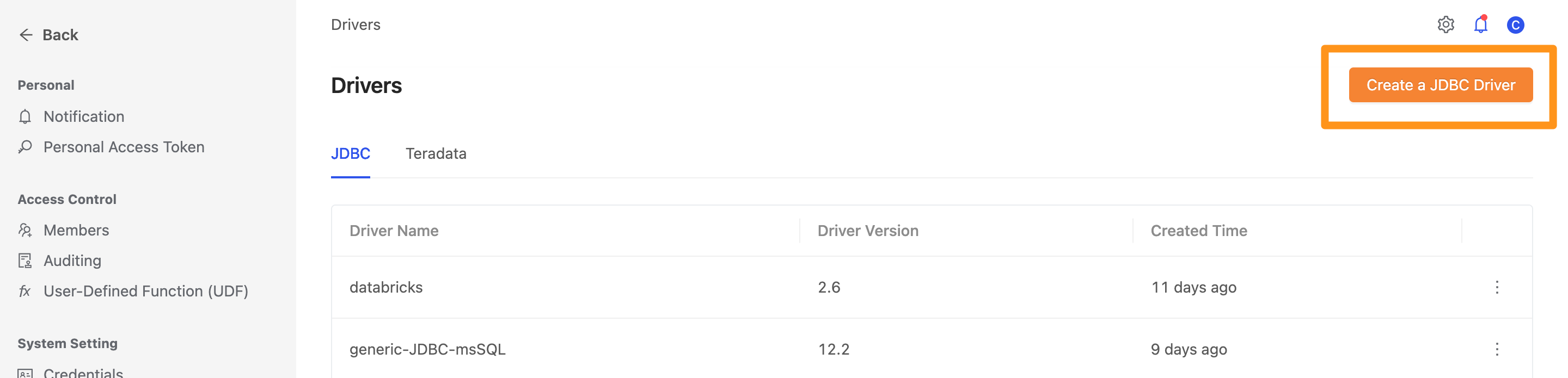
On the Drivers page, click the Create a JDBC Driver button.
Fill in the following configuration.
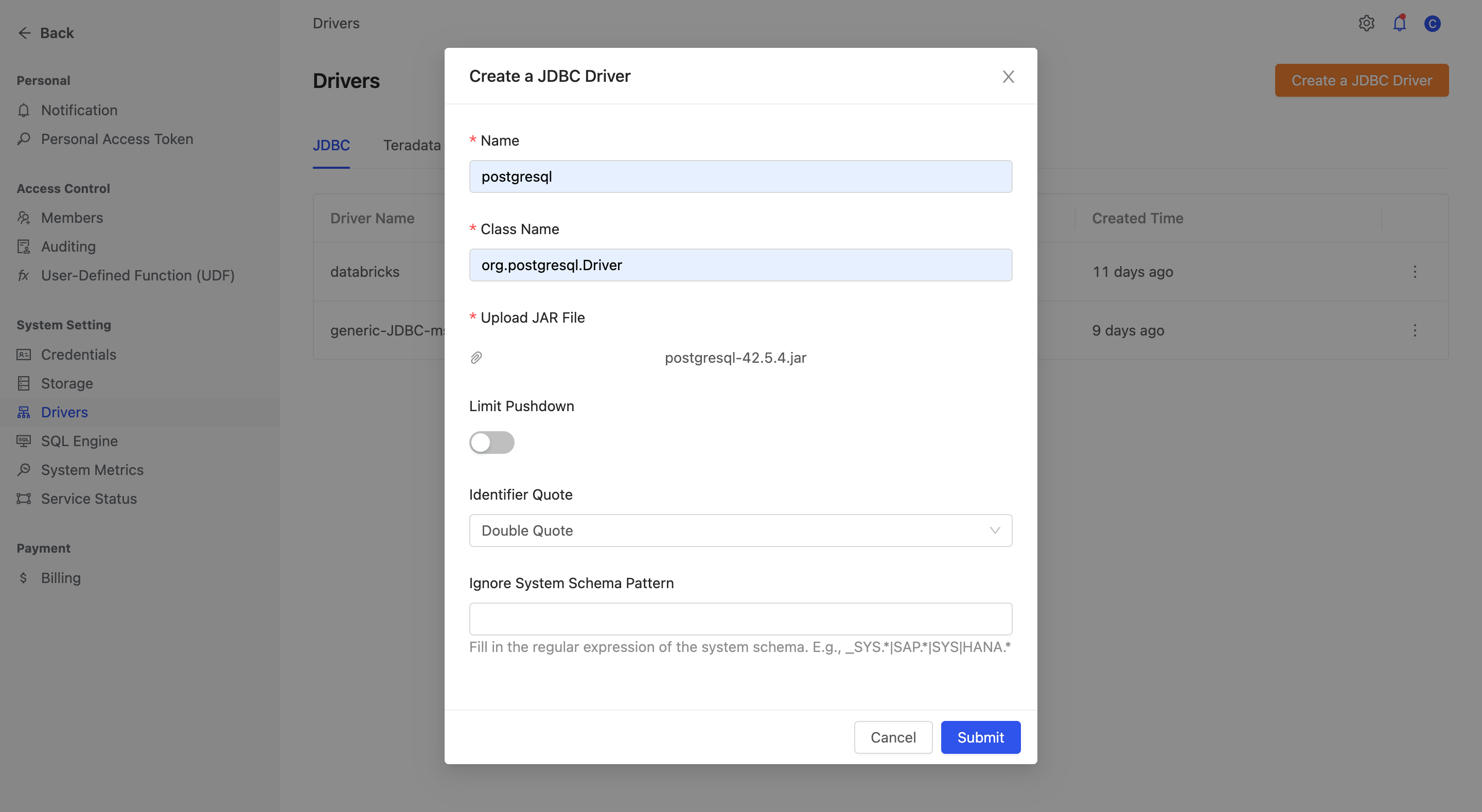
Name: The driver's display nameClass Name: The driver's class name. For example,Postgresusesorg.postgresql.DriverUpload JAR File: Upload the driver's jar fileLimit Pushdown: Whether to enable limit pushdown, which pushes query processing down to the data sourceLimit Pushdown Clause: (If Limit Pushdown is enabled) the limit pushdown syntax to use, depending on the database typeSeparator between Catalog and Schema: The separator between catalog and schema. If not specified, the default separator.is used.Ignore System Schema Pattern: A regular expression for ignoring system tables, to avoid connection timeouts caused by too many system tables
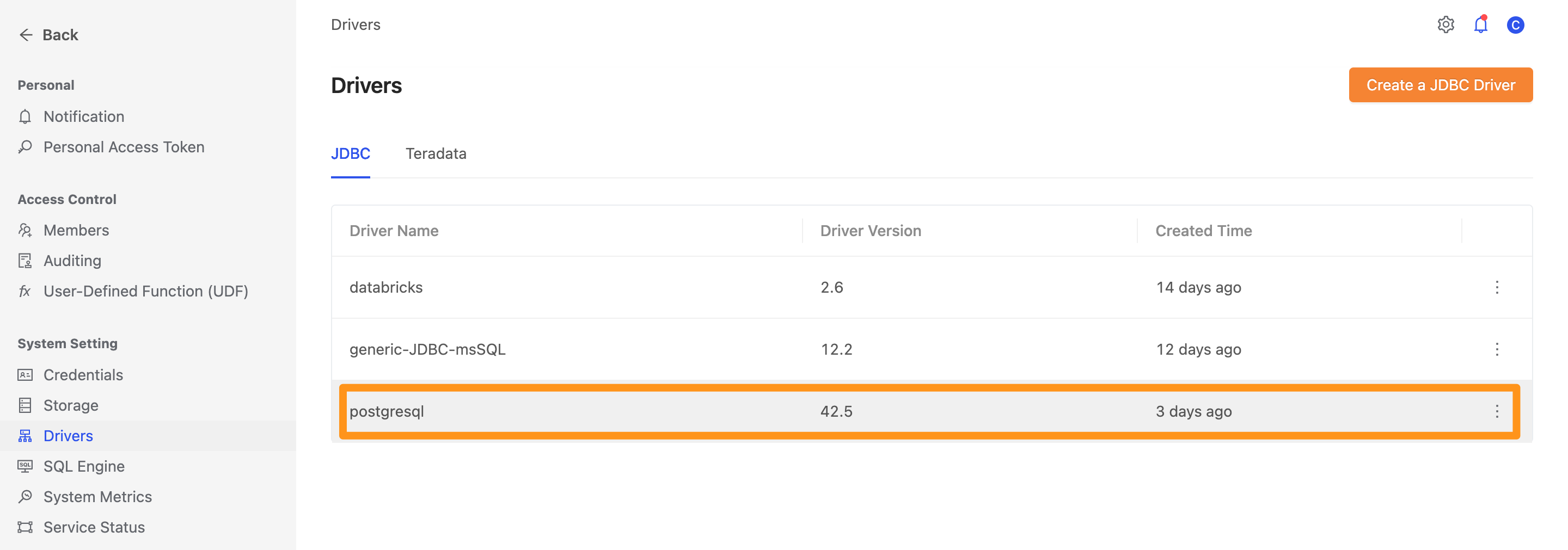
Once created, the driver appears in the list on the page.
Step 2: Create a Generic JDBC data source
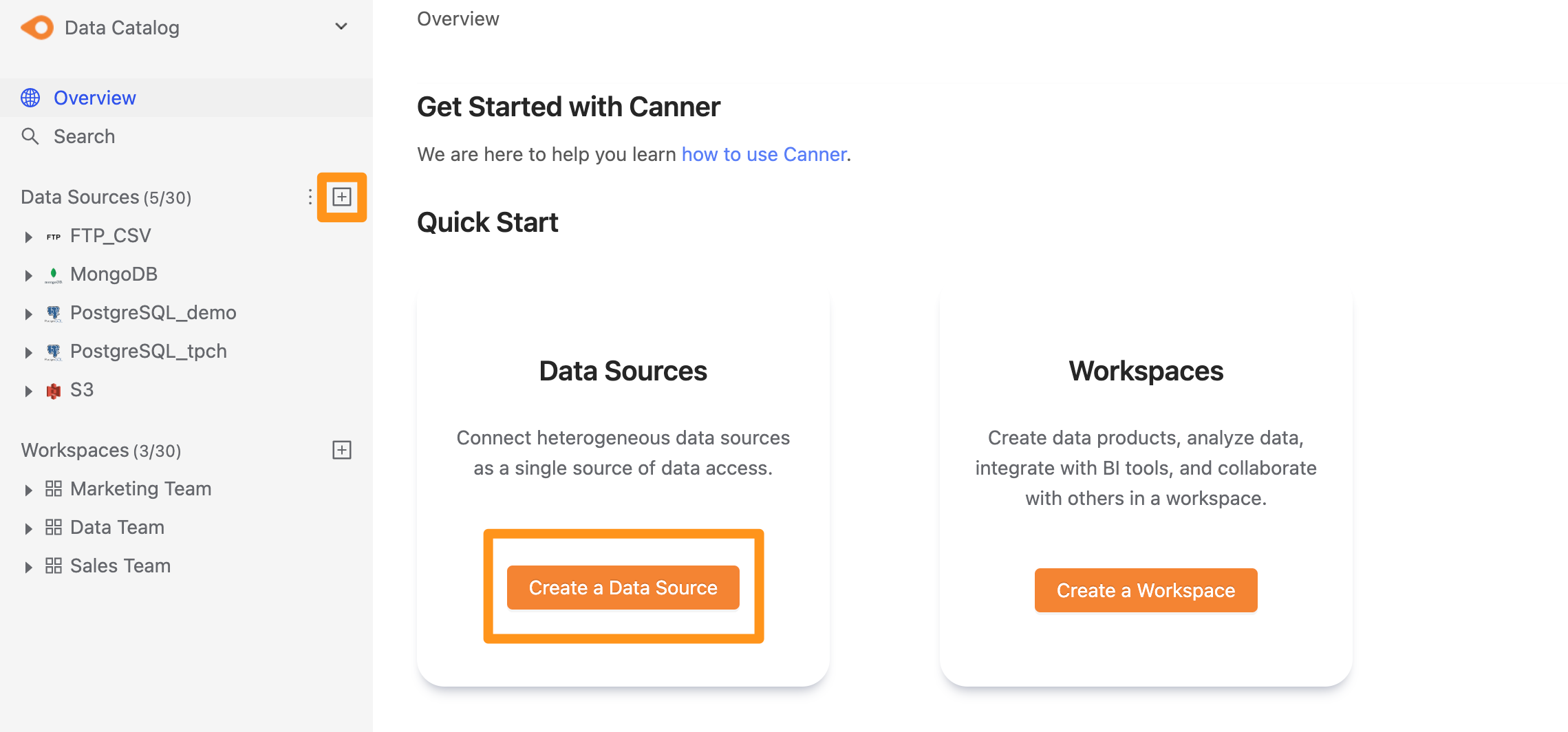
There are two ways to create a data source: click the "+" button next to Data Source in the sidebar, or click the Create a Data Source button on the Overview page.
Step 3: Configure the connection
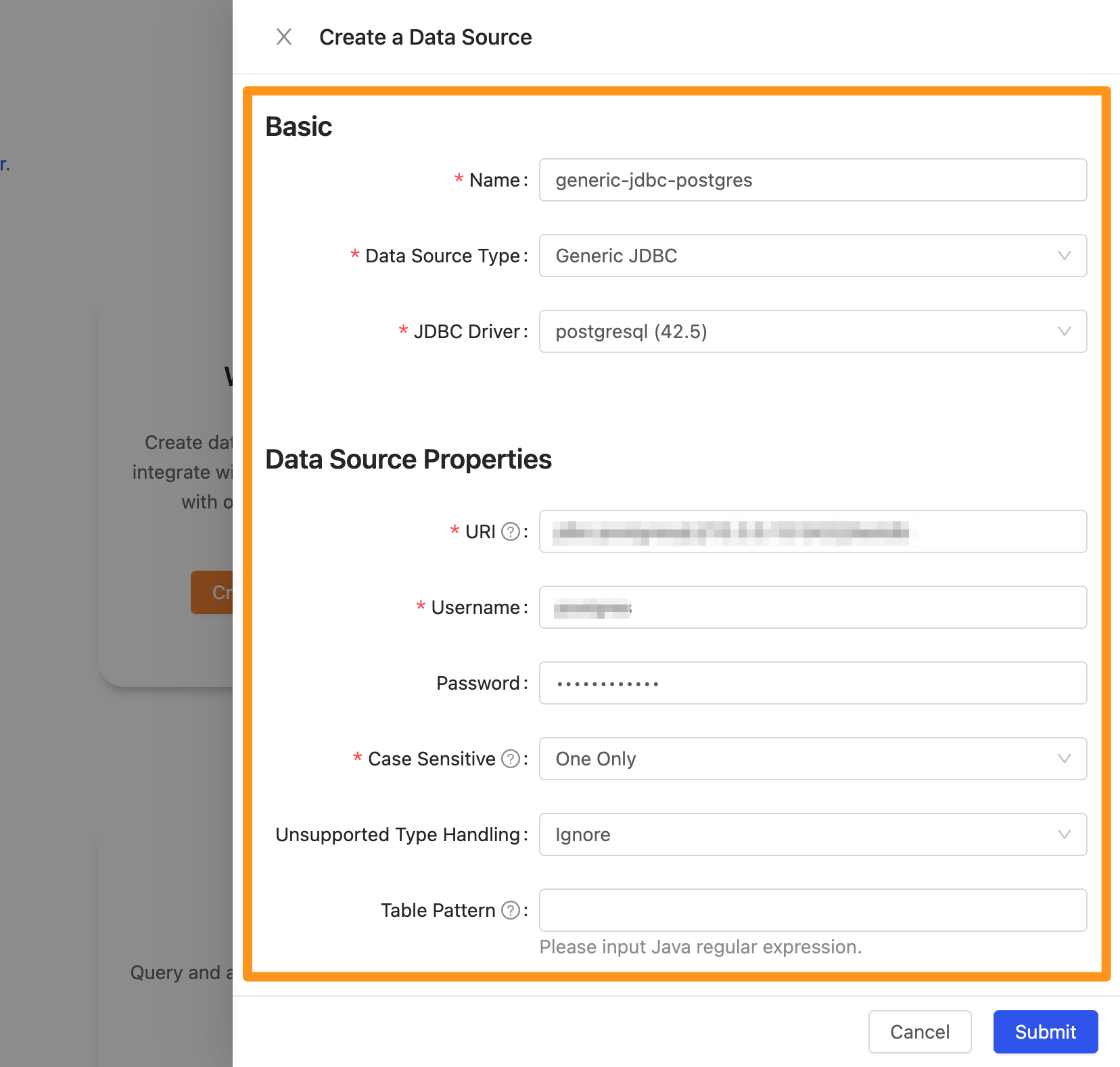
Name: The database display name; you can change it laterData Source Type: The database type. SelectGeneric JDBC.Driver: The driver to useURI: In the formatjdbc:<protocal>://<host>:<port>/databaseName, e.g.jdbc:postgresql://10.10.0.9:3432/tpchsf1.Username: The username for the connectionPassword: The password for the connectionUnsupported Type Handling: How to handle unsupported data typesTable Pattern: A Java regular expression to filter the tables to connect. For example,public.r.*selects tables in thepublicschema whose names start withr.Default ScaleandNumber Rounding Mode: If a table has floating-point types such as Double or Float and the data contains decimal values, set these two fieldsExplore Timeout: If the database has many tables, increase this so exploration can run longer
Step 4: Finish
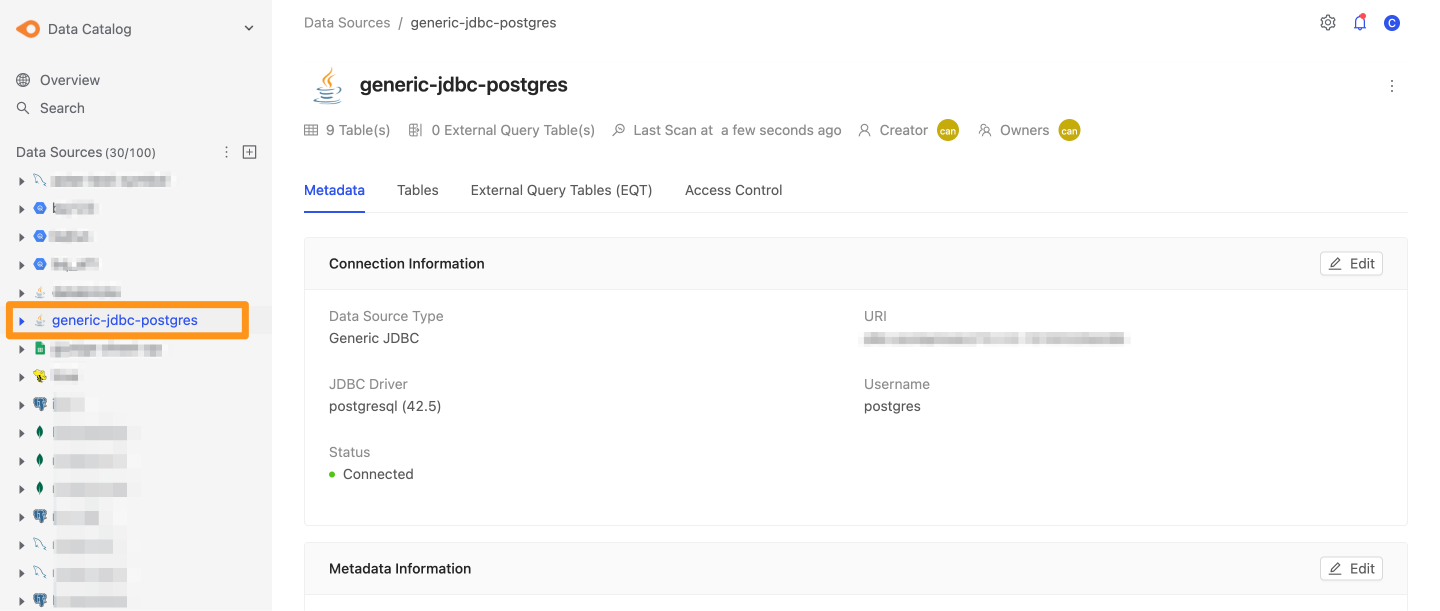
After you submit, the data source appears in the sidebar shortly. Click it to open the data source details page.