Usage and Activity Auditing
The three tabs on this page show usage statistics, activity logs, and real-time query execution.
Usage Statistics
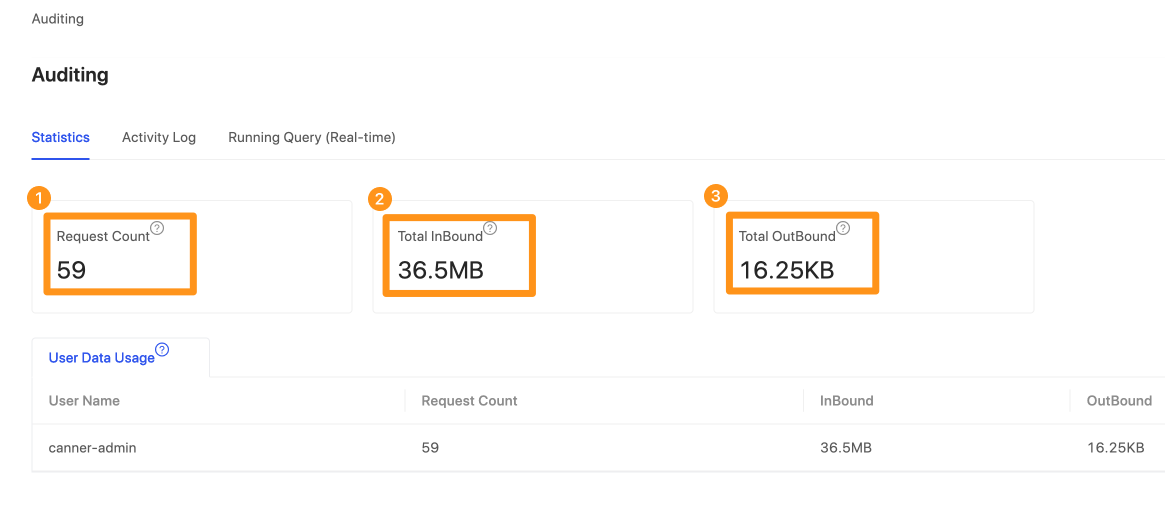
This feature shows statistics on how your organization or individuals use Canner Enterprise. The available periods are Last 7 days / This Month / Last 3 Month.
- Request Count: The Admin can see how many times each person has queried data.
- Inbound Network: The Admin can see the total volume each person has pulled into this system from databases or data centers.
- Outbound Network: The Admin can see the volume of data each person has pulled out from this system.
Activity Log
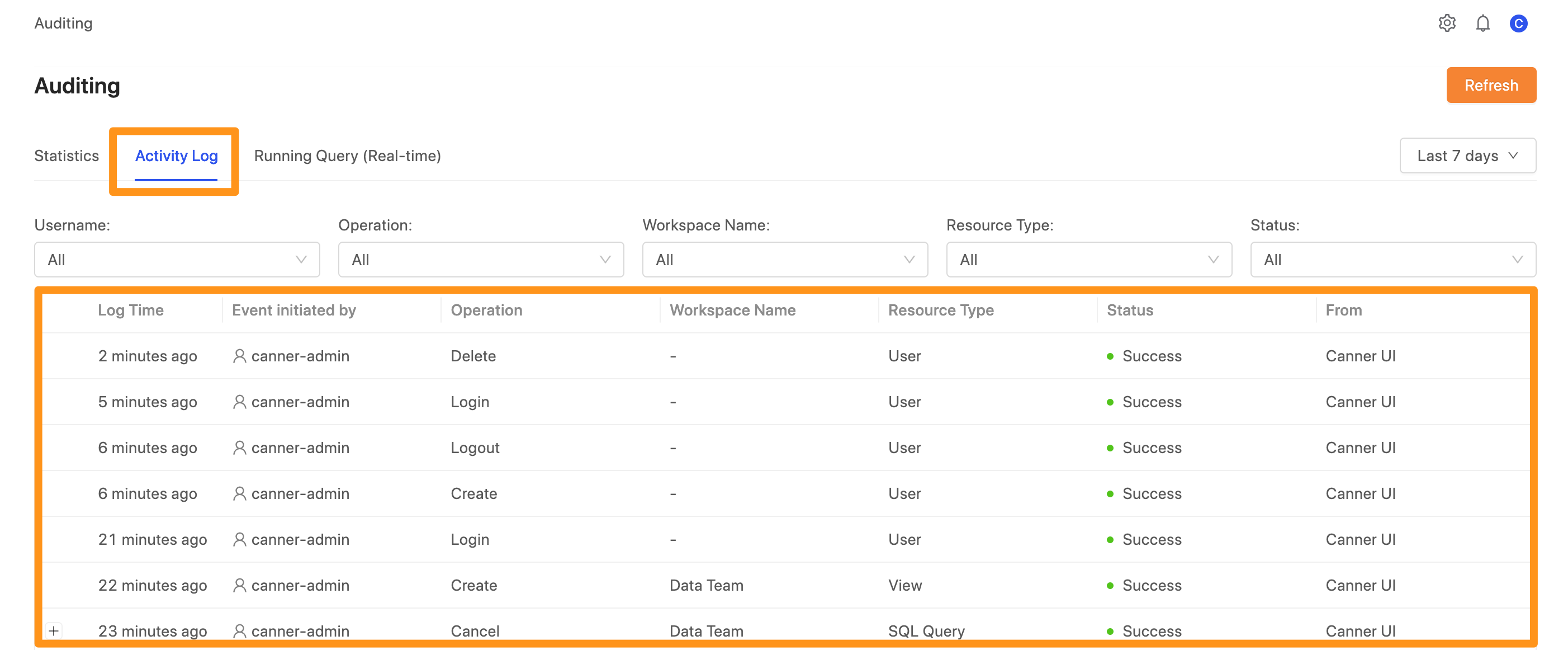
You can track all user activity in Canner Enterprise. The activity log includes system operation records, authorization records, and data access records. The available periods are Last 7 days / This Month / Last 3 Month.
System operation records: e.g. login/logout records, dataset views.
Authorization records: e.g. adding a data source, configuring Access Control for a data source or workspace.
Data access records: e.g. Data Service API calls.
Filters
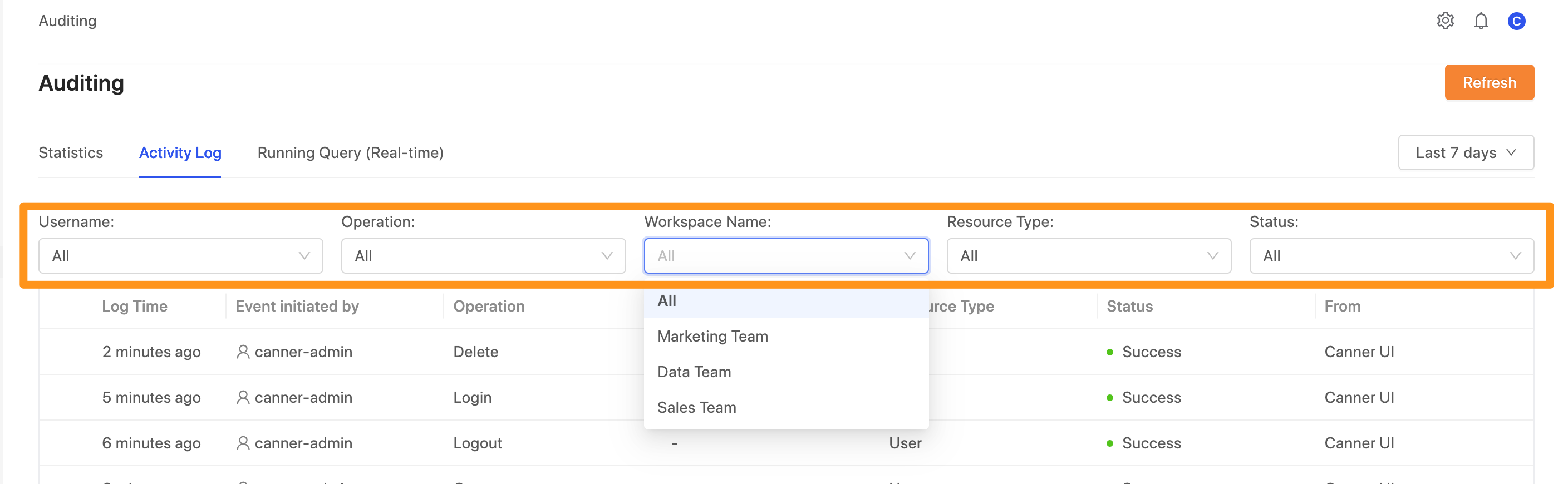
You can filter by Username, Operation, Workspace name, Resource Type, and Status.
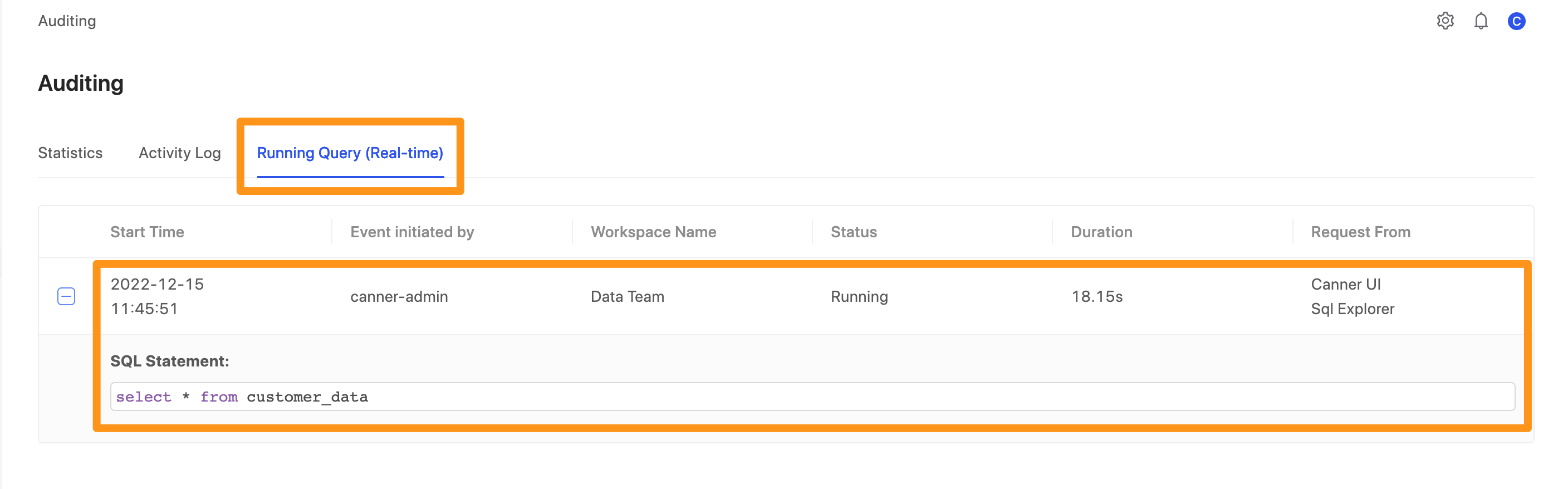
Real-Time Queries
View query execution in real time. The Admin can see the queries currently running on the system.