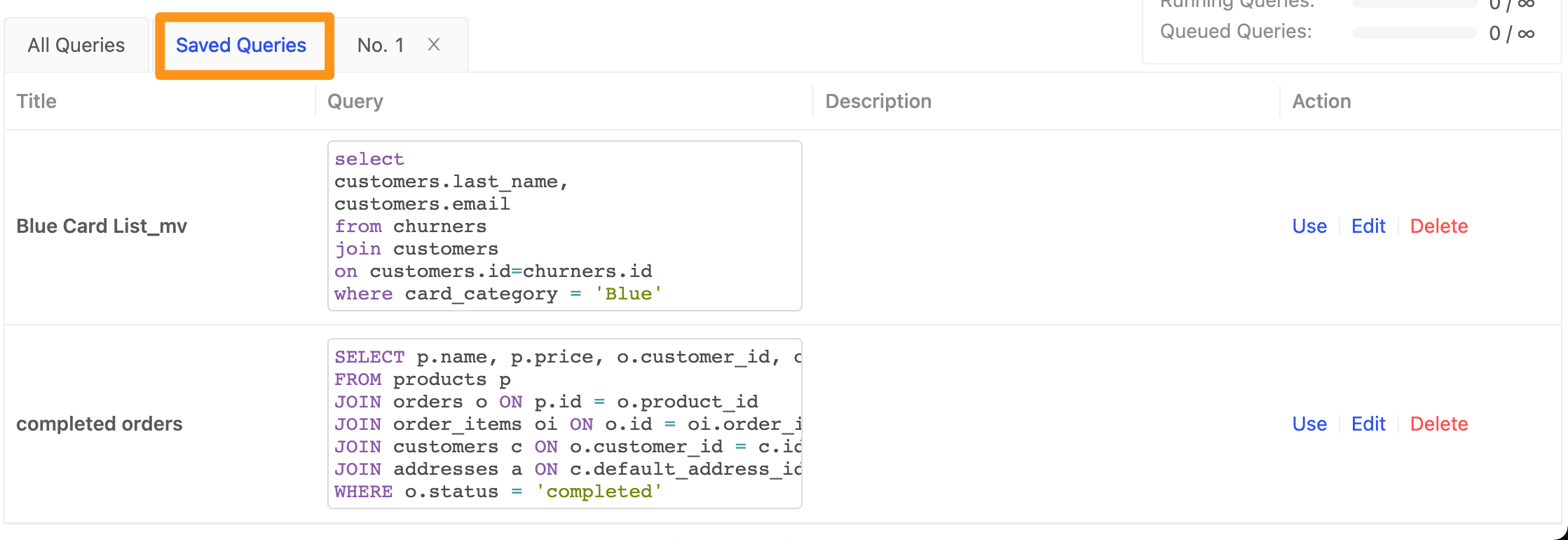
Saved Queries
When you have SQL you use often or want to share, you can save it. Saved queries can be reused later and shared with other members of the same workspace.
How to save frequently used SQL
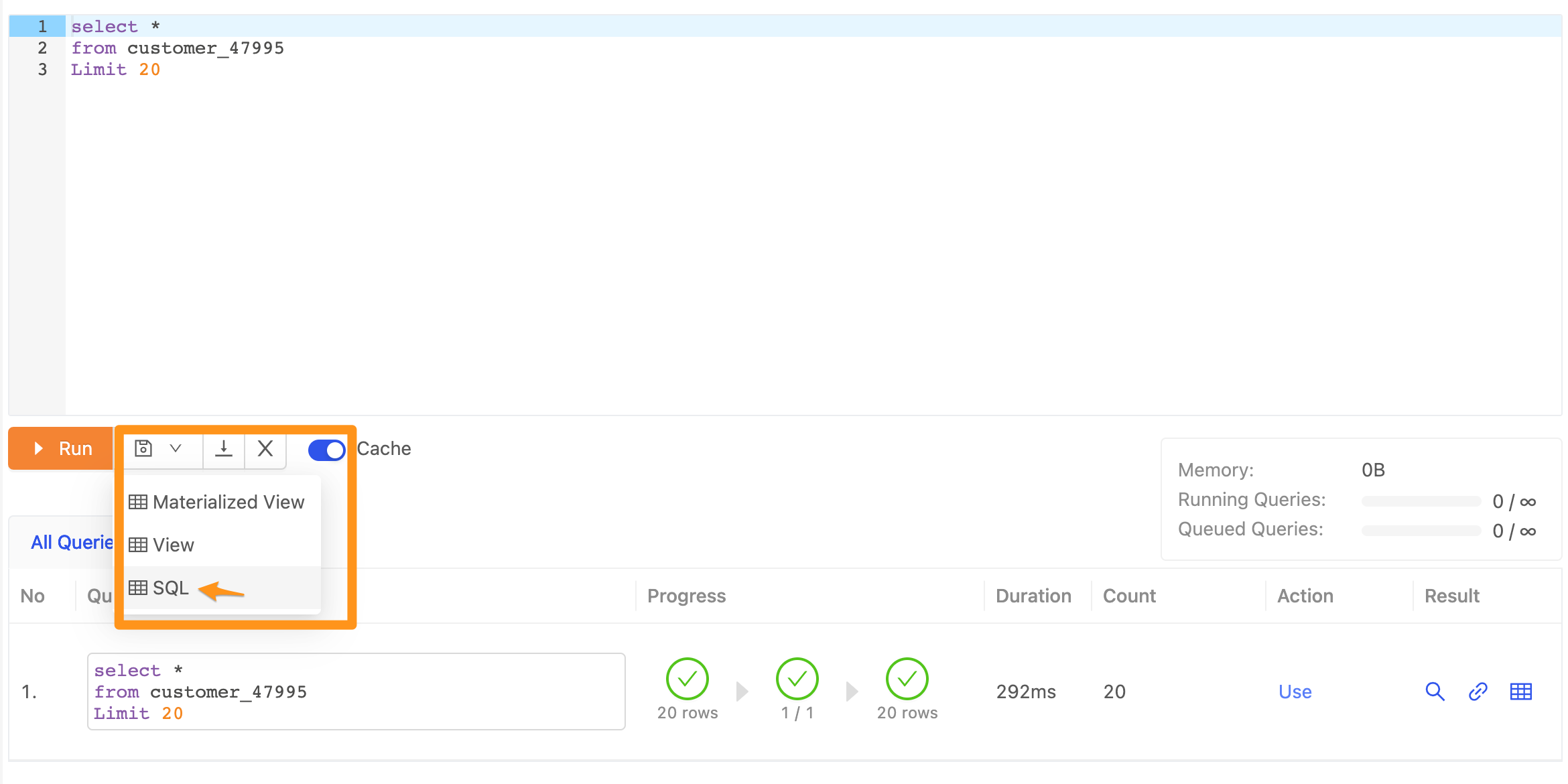
- Click the save icon below the SQL Editor and select SQL.
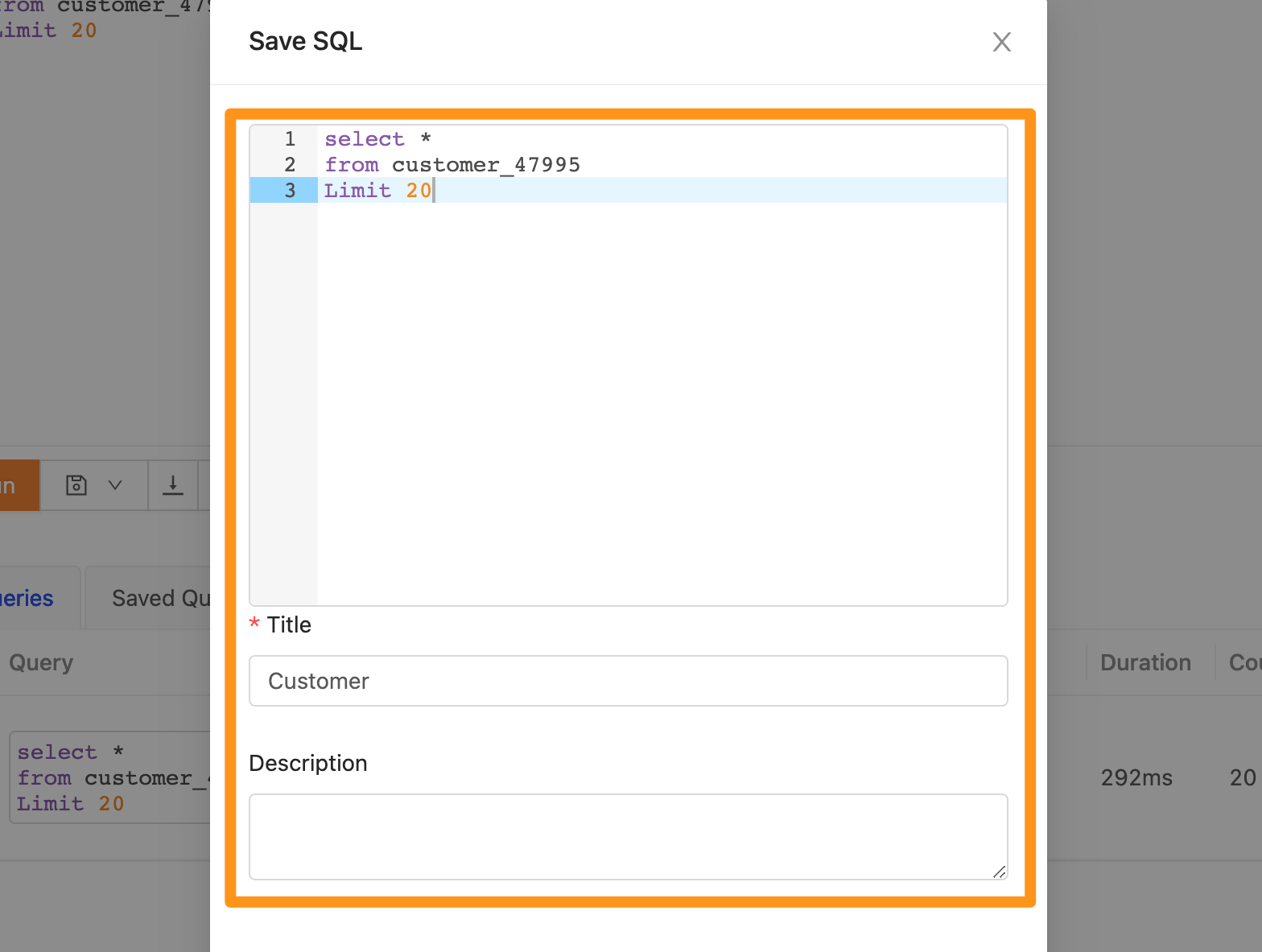
- The form in the dialog is pre-filled with the SQL statement written in the upper part of the page (you can also write it directly in this dialog). Enter a name for the query (Title) and a description (Description, optional), then click Submit to save.
- Your saved queries are listed in the Saved Queries tab in the lower part of the page. Click Edit to edit a query, or Delete to delete it. Other members of the same workspace can also see all the queries you have saved. However, if a saved query includes a dataset whose semantic layer is not yet enabled (see Dataset Metadata), Data Consumers in the workspace will not see that query in the Saved Queries tab.