MySQL
Step 1: Create data sources
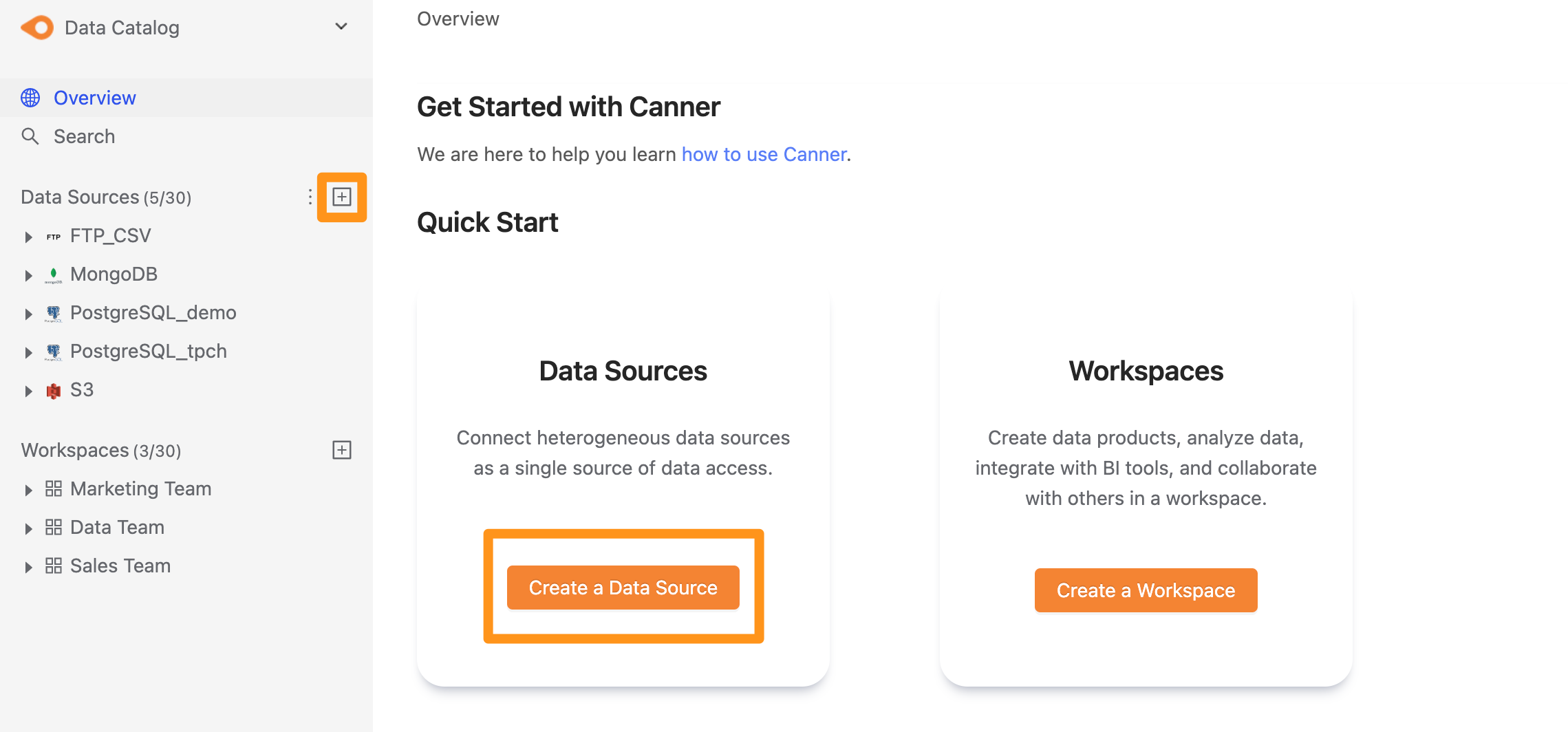
You can create a data source through the following two operations. The first is to click the "+" button on the sidebar Data Source or click the Create a Data Source button on the Overview page to create.
Step 2: Set connection information
In the pop-up form, fill in and set the connection information, and click Submit to send.
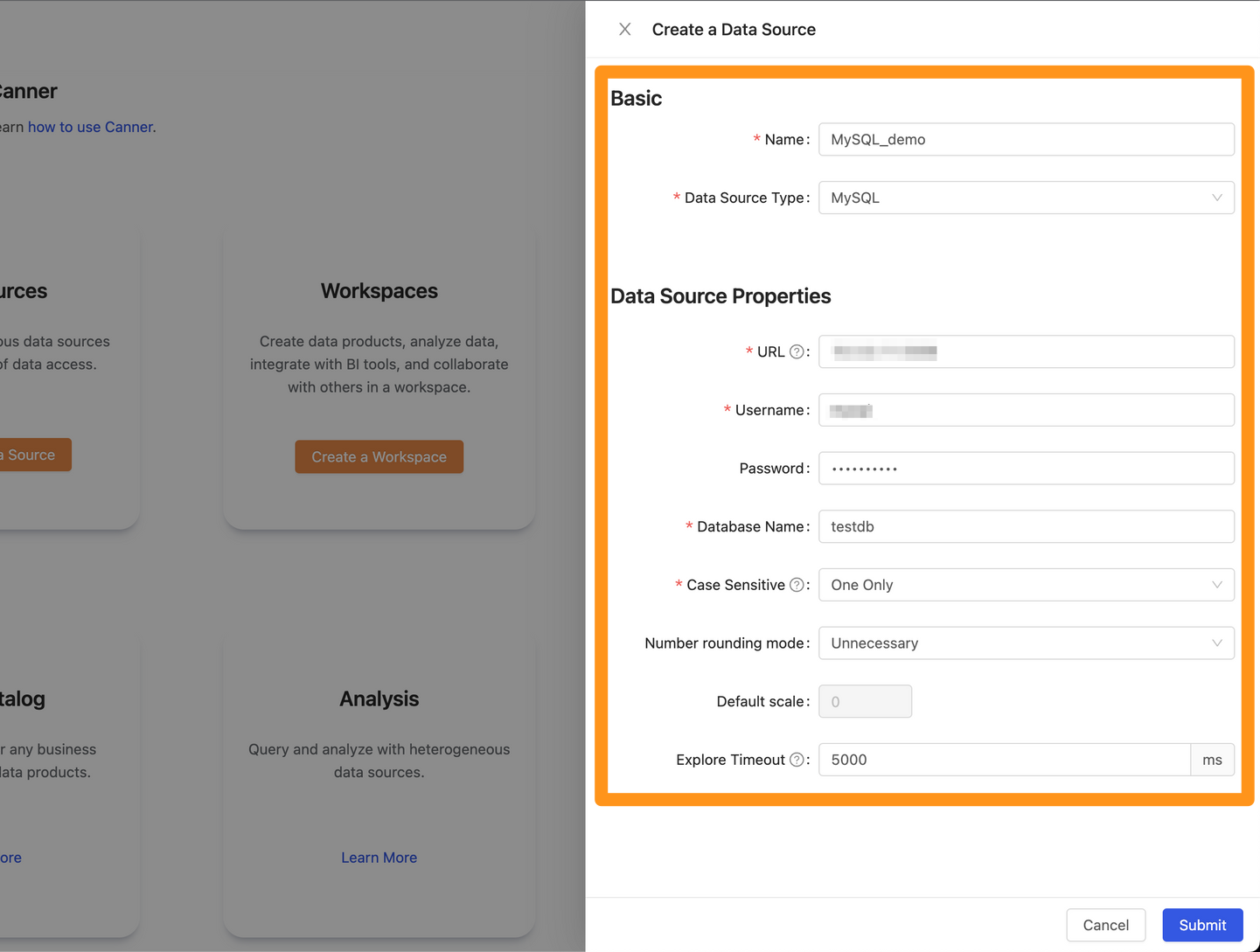
Name: database name, for display, can be modified laterData Source Type: database type, please selectMySQLURL: Please fill in<hostname>:<port>format, for exampledatabase-1.cboscstksckj.ap-northeast-1.rds.amazonaws.com:3306,10.207.64.3:3306Username: Username used for connectionPassword: Password used for connectionDatabase Name: The database name of the connectionExplore Timeout: If the database contains a large number of Tables, it is recommended to increase this parameter so that the explorer can wait for a longer time
Step 3: Complete the build
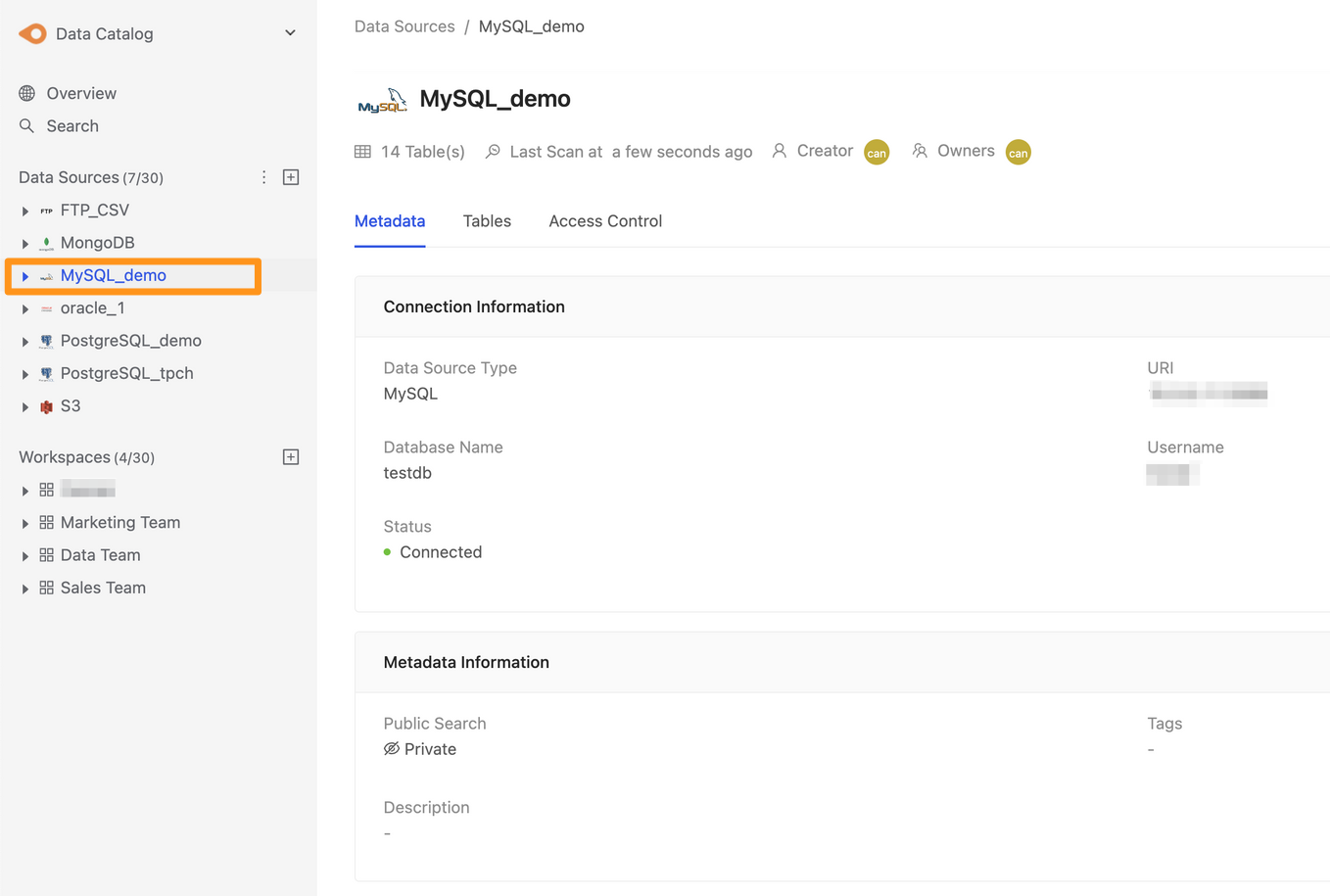
After submitting, the MySQL data source will show up in the sidebar in a few moments, and you can click to enter the data source details page.